The Kid’s Kindle: Raising Readers on the road
One of the most challenging aspects of traveling light is what to do for reading
I love books. I can devour books and it seems the kids have joined me (Jak not so much!).
But, travelling light and books are not an ideal combination. We have carried hand luggage only for over two years of travelling (except for a month skiing in Bulgaria).
While we love slowing down to browse a bookshop whenever we can, carrying physical books is simply not practical. They add weight, and let’s face it, that space is needed for the ever-growing international collection of rocks, sticks, and shells.
So, how do we keep the reading habit alive while on the road? Simple: our Kindles.
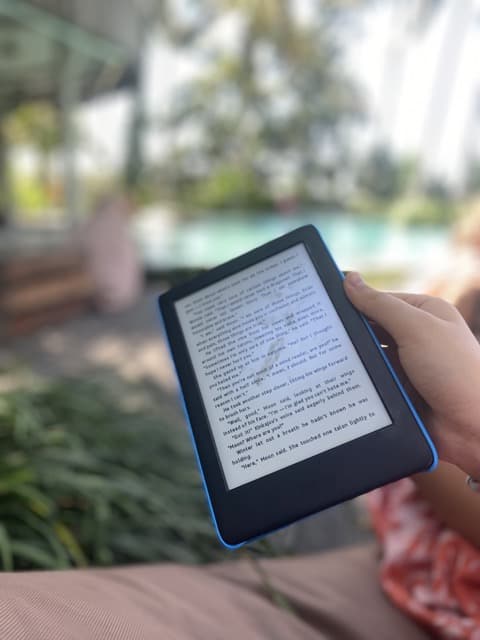
The Kids’ Kindle—our number 1 travel item and an absolute gamechanger when it comes to reading on the road.
Why buy a Kid’s Kindle?
Both our kids have an iPad which we use to support with education but we were conscious of adding the Kindle app.
The temptation to stray from reading when on the iPad would be a lot for any kid so we also opted for them to have their own Kid’s Kindle.
Now, I’ve been a Kindle fan for years.
As an English teacher, I love to read but again, getting through five physical novels on a weeks holiday isn’t practical when travelling long term (just to clarify, this is true, but obviously pre-kids! Like I have time to read anything now! Ha!), so I was keen to spread my love of the e-reader to my kids.
The Role of Reading in Worldschooling
Worldschooling is all about learning through experiences, and reading plays a crucial role in this educational journey.
Books open up worlds beyond the one we’re physically exploring, allowing our kids to dive into stories that deepen their understanding of the cultures and places we visit.
With Kindles, they’re not just reading—they’re expanding their minds in ways that complement the hands-on learning they get from worldschooling.
As a family constantly on the move, the Kid’s Kindle has been more than just a tool; it’s become an essential part of our worldschooling curriculum.
Whether it’s learning about the history of a place we’re visiting, immersing in local folklore, or simply indulging in a good story during a long flight, the Kid’s Kindle makes it all possible.
A Guide to Getting the Kid’s Kindle
What’s different about the Kindle for kids and the normal Kindle?
So technically, they are pretty much the same. You get the same size display (six inch), the same pixels per inch and the same 8GB of storage. Battery, Wi-Fi, Bluetooth connection- you get the idea, it’s all the same.
However, the Kid’s Kindle comes with the option of a free, slightly studier, case. With the purchase of the Kid’s Kindle, you get access to Amazon Kids+ which gives you free access for your first year to thousands of popular books.
A great bonus to the Kids Kindle is the extended warranty of two years for breakages.
Everything You Need to Know About the Kindle for Kids
Which Kindle should I buy for my child?
It depends. Deciding which Kindle to buy for yourself or your child boils down to what they want to do with the Kindle.
If your kids are big readers you can choose between the Basic Kindle Kids and the Kindle Paperwhite Kids. The latter is the same hardware as a Kindle Paperwhite, but it comes ad-free, with a free case, a complimentary Amazon Kids+ subscription, and a solid two-year guarantee.
The Kindle Paperwhite has a few additional features which could work well for kids but it does cost more.
- It’s great for reading in the sun
- It’s waterproof
- It has a bigger display
- It has an adjustable light for night time reading
Is Amazon Kindle worth it for kids?
Definitely, yes. Here are a few things kids can do with a Kindle e-reader:
- This may be obvious but they can read books, even illustrated books. All of the illustrations are in black and white so it does impact the experience of reading graphic novels for example but my kids haven’t complained about that at all.
- The battery seems to last forever. The kids always seem to pull them out of their bags charged up.
- Listen to Audible audiobooks using a Bluetooth speaker or earphones. More on this later.
- Learn new words as they read with the dictionary feature.
- Free access to over 2500 age appropriate books

Kid’s Kindle for Worldschooling: Why It Works
Our kids are avid readers, and the Kindle has been indispensable in nurturing this habit.
In the context of worldschooling, it’s been even more valuable.
The ability to download books about the places we’re visiting, or topics we’re studying, adds depth to their learning.
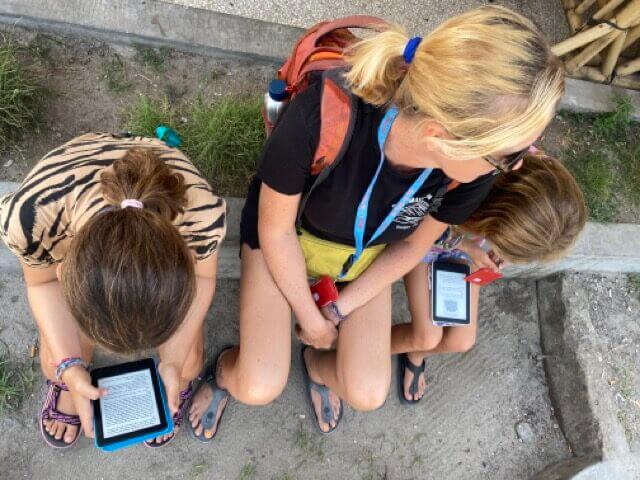
And because the Kindle is so portable, they can read anywhere—from the back of a tuk-tuk in Sri Lanka to a beach in the Gili’s.
Is the Kindle good for kids?
If your kids love to read then YEP! If you don’t have space for physical books then YEP! If you don’t want to carry all the books the children want to read then YEP! If the children devour books like an insatiable book monster then YEP!
Has this affected our kids when it comes to physical books? Not at all!
What age is appropriate for Kindle for kids?
It depends on your kids, but our youngest started reading her kindle when she was 6. If they can read independently, they can use a Kindle e-reader.
From then onwards these reading devices can be used for years to come. We get so much use from them so we have never questioned buying them a Kindle from a young age.
How to set up a new Kindle
This is pretty simple to do. Here’s how to set up an Amazon Kid’s Kindle:
First you will want to activate the Kindle Kids subscription.
Once you have activated and set up the Kindle the warranty will automatically begin.
- Create a profile Amazon account and add the kids details. You can also add up to four children.
- Turn on your Kindle device and connect to WiFi.
- Sign into your Amazon account from the Kindle.
- At this point, you’ll see a prompt to start Amazon Kids+.
- Then, set a PIN for the device, and you’ll see all the Child profiles you set up in step 1.
- Select the kid whose Kindle it is, and they can start reading.
How to add books to a Kids Kindle
Here’s how:
- Head over to your Content and Devices
- Choose book content on Amazon
- Check the boxes to select the books you’d like to share and click on more options and then click Family Library which will send the book to your kids kindle
Can you buy books for the kid’s Kindle?
You can! You can use the free books which come with the free subscription for the first year or you can buy additional books.
There are other ways to get free ebooks too, check out this post
Can a kid’s Kindle be set up for an adult?
This is a sneaky little cheat to get you an ad-free Kindle with an extended warranty. Just make sure you check the restrictions on the account.
Can I turn a regular Kindle into a kids’ Kindle?
You can. You’ll need to set up a profile for your child on your Kindle. Here’s how to do it:
- Tap on the three dots in the top right-hand corner and select Amazon Kids.
- Then create new profiles for each child
- Back to the same steps as before to share content.
What’s the deal with the wireless audio?
It seems a little bit of an oversight to not have provided an audio jack on the kid’s Kindle. Having to use wireless headphone or speaker seems a bit of an oversight.
The Kindles have been a life saving for us as a full time travelling family. It is the one constant the kids have used throughout and are reading at every and any opportunity. Still not sure? Check out our other post on Kindles for kids here.